Grocery budget spreadsheet with meal planner and shopping list
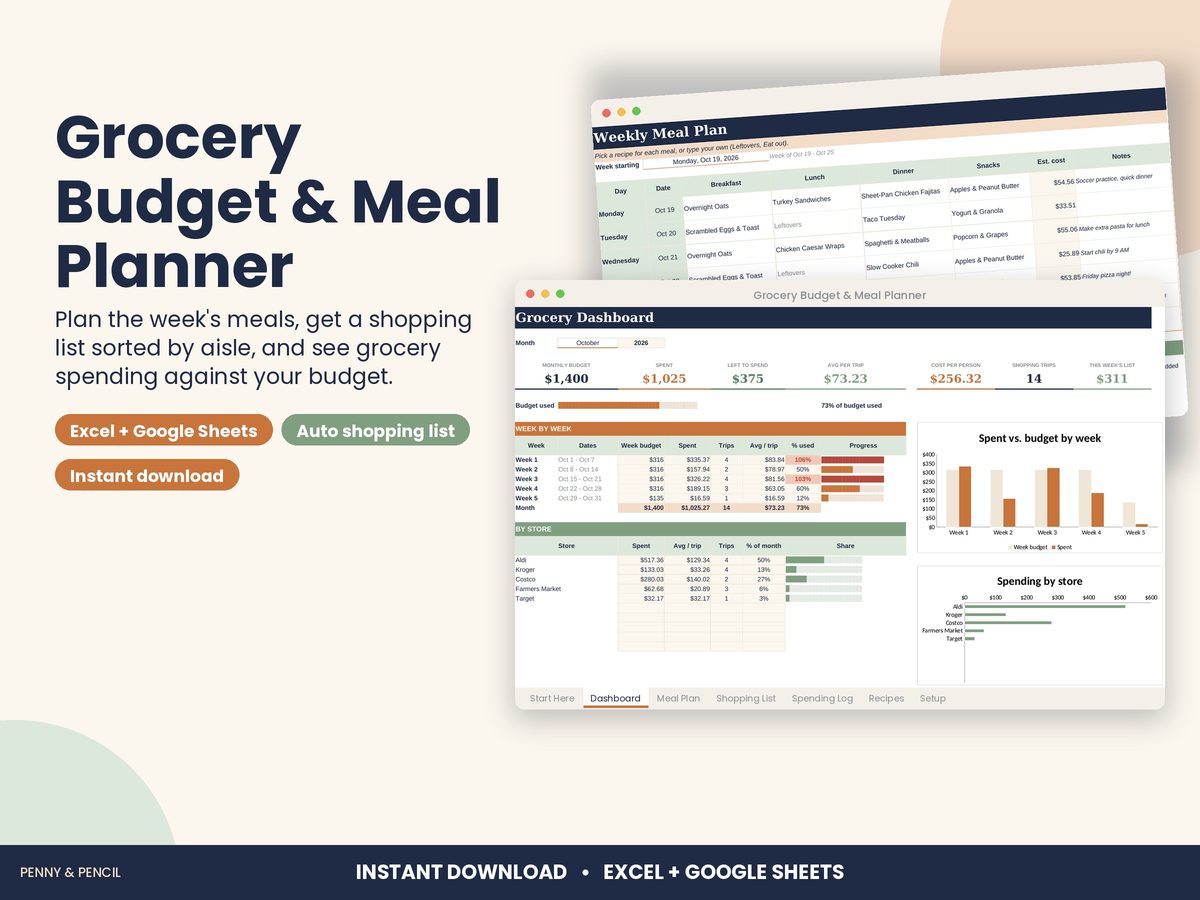
Grocery spending is easier to manage when the plan and the receipts live in the same place. The Grocery Budget & Meal Planner starts with a Setup tab where you enter a monthly grocery budget, household size, the stores you use and your preferred aisle order. From there you add recipes once, choose meals for the week and log each shopping trip.
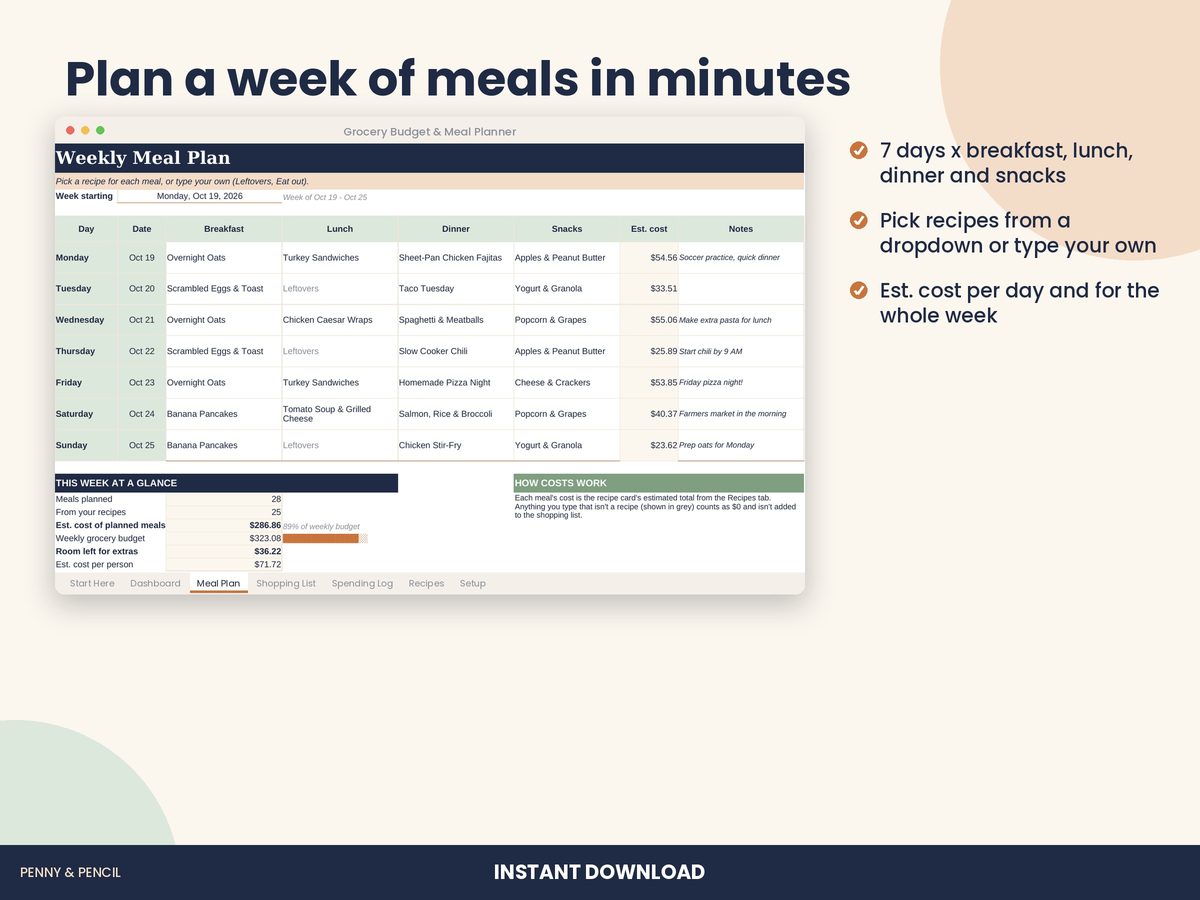
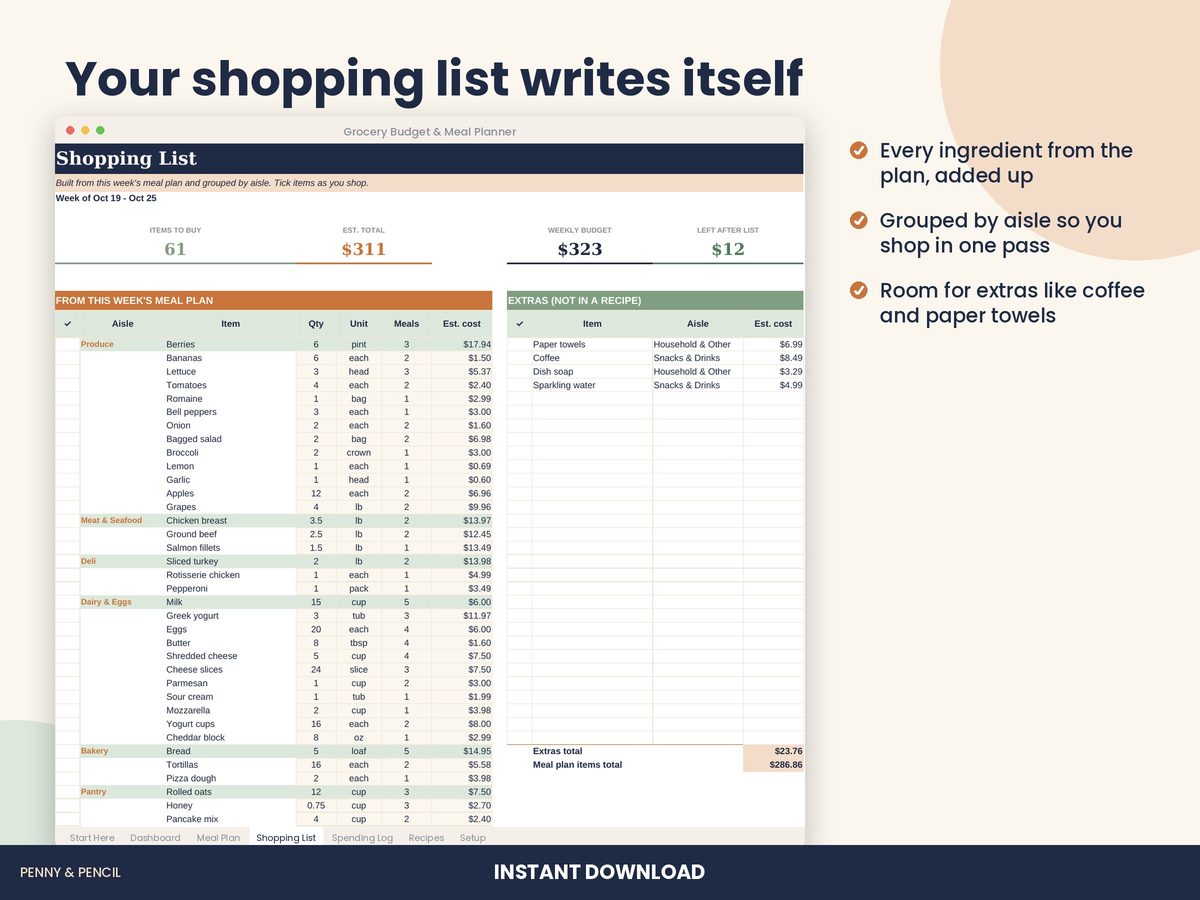
Recipe cards hold up to 40 meals, each with up to 8 ingredients (quantity, unit, aisle and your estimated cost). The weekly planner covers 7 days of breakfast, lunch, dinner and snacks and shows an estimated cost per day and per week. The shopping list is built from the meal plan: ingredients are combined and grouped by aisle, with check-off boxes and an Extras section for items outside the plan. Costs are your own estimates, so prices at your store may differ.
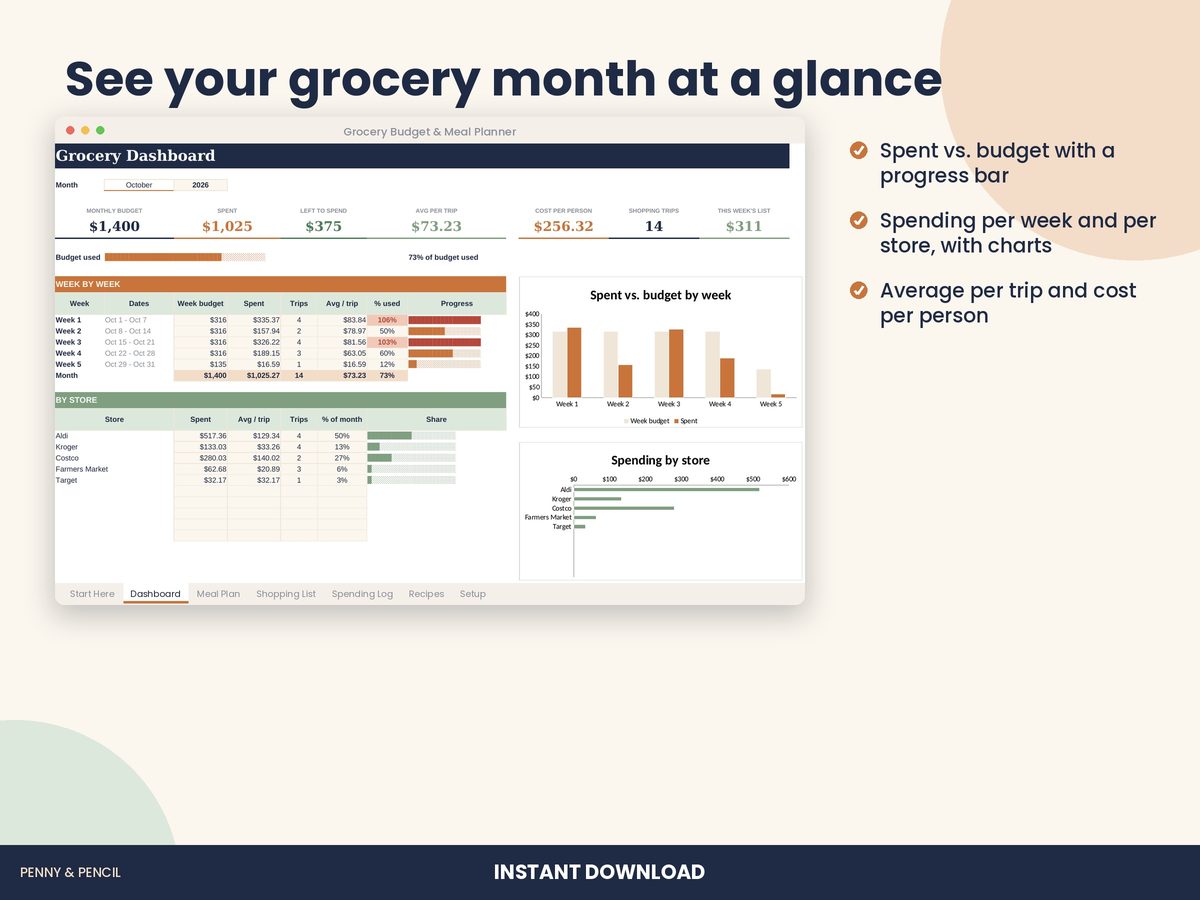
The grocery spending log has a store dropdown and room for 400 trips. The dashboard shows monthly budget, spent, left to spend, average per trip, cost per person and number of trips, with a month picker, a progress bar for each week and charts of spending by week and by store. The download includes a blank planner and a filled-in example, for Excel or Google Sheets. It organizes your own numbers; it does not connect to stores or bank accounts.
Buy Grocery Budget & Meal Planner on Etsy · $9.00Just want the weekly plan? Start with our free meal planner template.
What you get
You get two files, a blank template and a filled-in example, plus a Start Here guide. Open them in Microsoft Excel, or upload them to Google Drive and open them with Google Sheets (free). You type in the input cells; the formulas, totals and charts update themselves.
Tips
- Enter a recipe once and reuse it; the shopping list adds up repeated ingredients for you.
- Treat meal-plan costs as estimates and compare them with the spending log after each trip.
- Keep the Extras section for household items so the grocery dashboard reflects what you actually spend at the store.