Write the costs your household actually has
Use recent bills, receipts and income records for the same month. Name the category, amount, due date, planned amount and actual amount. The CFPB spending tracker groups receipts into weekly category totals; its cash-flow tool carries a weekly ending balance into the next week.
- Record take-home money received, with each arrival date. Keep future expected pay in a separate forecast.
- List your own essential expenses and other obligations. Do not replace a bill with a percentage target just to make the total fit.
- Separate amounts already paid from amounts still expected. Mark an unknown bill as unknown rather than zero.
- Subtract the complete planned outflow from received income. Keep any gap visible, then check the payment dates against available money.
This is a cash-payment record. If a payment covers purchases already counted elsewhere in your records, use one consistent view so the same outflow is not added twice. Moving money between your own accounts is not new income.
A worked essential-expense plan on a low income
Example only: one fictional household receives $2,000 this month. The categories below describe its situation, not recommended spending limits or local cost estimates.
Fictional month: 2,000 dollars received, 1,920 dollars planned outflow| Record | Amount |
|---|
| Housing | $850 |
|---|
| Utilities and phone | $180 |
|---|
| Groceries and household | $300 |
|---|
| Transport | $140 |
|---|
| Health costs | $90 |
|---|
| Childcare | $240 |
|---|
| Other recorded obligations | $120 |
|---|
| Total planned outflow | $1,920 |
|---|
The arithmetic is 2,000 − 1,920 = 80 left unassigned in the monthly plan. That amount is not a promised saving: an omitted bill or a changed estimate can use it. There is no percentage rule here; the reader supplies every amount.
Show a shortfall instead of hiding it
If this household records another $150 required expense, planned outflow becomes $2,070. Received income minus planned outflow is then −$70. Keep a separate shortfall line; do not reduce the recorded bill or count hoped-for income to erase it.
When an amount or date actually changes, record the confirmed change and recalculate. The ledger identifies the gap; it does not decide which obligation to leave unpaid or promise that a spreadsheet can resolve it.
Check whether the money arrives before the bills
For a separate timing example, split the original income into two equal receipts and use the same original outflow total. Start with $150 already available from before this month, recorded as an opening balance rather than fresh income. Table amounts are dollars.
Fictional payment calendar — opening available balance is 150 dollars| Date | Movement | Balance |
|---|
| Day 1 | + 1,000 pay | 1,150 |
|---|
| Day 2 | − 850 housing | 300 |
|---|
| Days 3–14 | − 350 other costs | −50 |
|---|
| Day 15 | + 1,000 pay | 950 |
|---|
| Days 16–30 | − 720 remaining costs | 230 |
|---|
The first half reaches a negative 50 even though the monthly plan has a positive remainder. Mark that timing gap before treating any month-end amount as available. The final balance reconciles as 150 + 2,000 − 1,920 = 230; the opening money explains why it differs from the monthly unassigned amount.
Review planned and actual amounts each week
- Replace estimates with actual receipt amounts when paid; retain the original plan for comparison.
- Add actual paid amounts to estimates still outstanding to see the revised expected outflow.
- Check that cash purchases, transfers and payment records are not counted twice.
- Carry the actual available balance into the next period and keep any unresolved shortfall noted.
Use the sample for a manual first pass
The existing email-list budget sample is a separate one-page PDF. Use your own notes for the essential-expense list and date checks above; these are manual procedures, not extra workbook features.
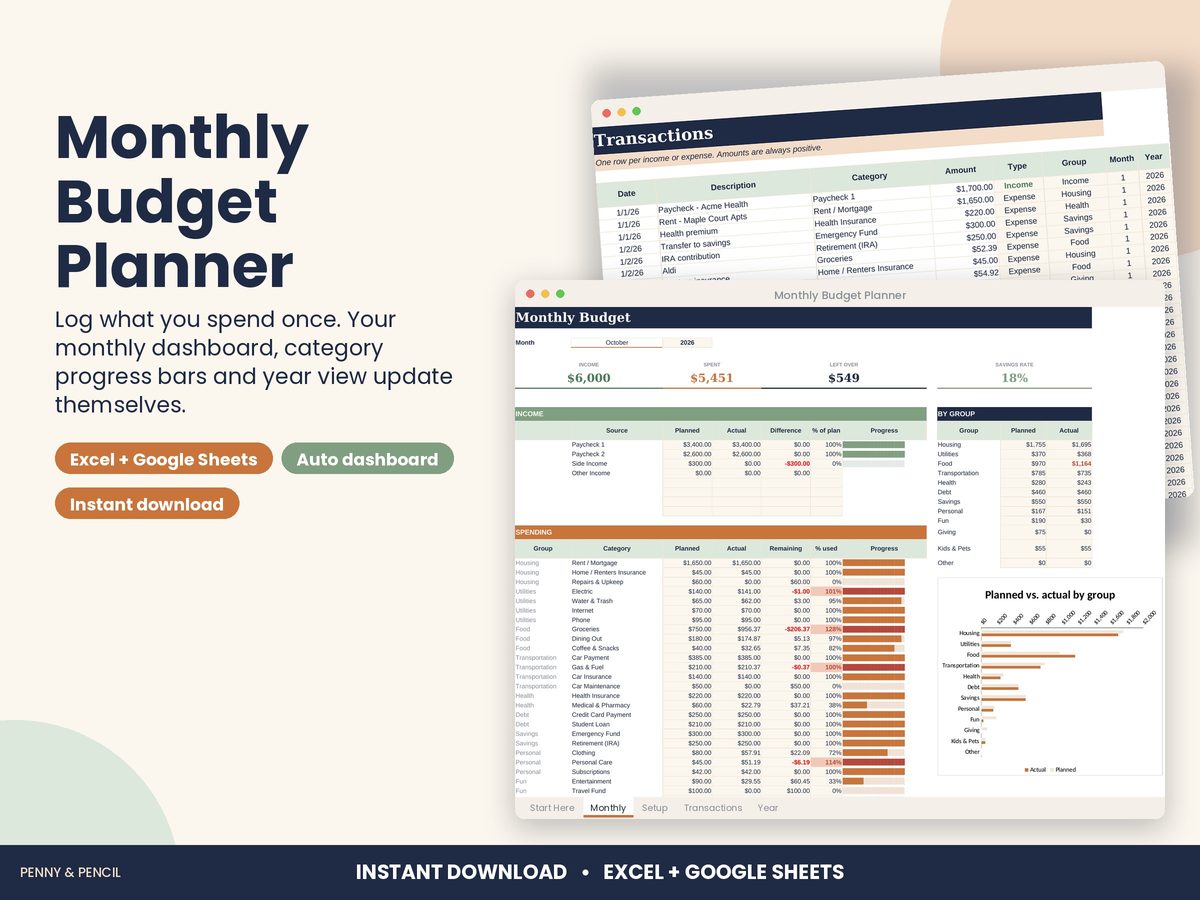
The paid Monthly Budget Planner has a setup tab, transaction log, monthly dashboard and year view for your entries. Enter categories and planned amounts yourself, then record transactions. It does not supply income or decide spending priorities.
For another recordkeeping layout, see the budget template guide. Browse money templates, learning pages or all printables.
Sources — read November 20, 2026
All figures are original fictional recordkeeping examples. Not financial, tax or legal advice.