Check the agreed billing details before writing
Confirm who receives the invoice, what work you are billing for and the payment terms already agreed with that client. If a date, amount or billing contact is unclear, resolve it before sending rather than filling in an assumption.
A practical invoice-detail checklist, not a legal requirements list| Detail | What to record |
|---|
| People and reference | Your business contact, client billing contact, unique invoice number and agreed project reference. |
|---|
| Work and dates | Describe the delivered work, service period and issue date; keep the agreed scope alongside your record. |
|---|
| Amount | Show quantity, agreed rate, line totals, currency and total. Reconcile any previously recorded deposit. |
|---|
| Payment and delivery | Use the agreed payment method, exact due date and billing destination; retain the sent copy. |
|---|
This checklist organizes a work record. Local invoice, tax and business requirements depend on your situation; it is not a statement that these fields make a compliant invoice.
Work through the amount and deposit
Example only: a fictional freelancer bills editing and layout work. This illustration has no tax or fee line and makes no assumption about whether one applies to your work. Record amounts that actually apply under your own arrangements.
Fictional invoice F-026, amounts in USD| Work | Calculation |
|---|
| Editing | 6 hours × 40 = 240 |
|---|
| Layout | 2 hours × 50 = 100 |
|---|
| Total work | 240 + 100 = 340 |
|---|
| Previously received deposit | 100 |
|---|
| Remaining amount due | 340 − 100 = 240 |
|---|
Record the deposit once and keep its receipt reference. Do not add it again as a second payment when you record the remaining balance. If it belongs to another project, do not subtract it from this invoice.
Write an exact due date from the agreed terms
For this example, both parties agreed that an invoice issued June 1, 2026 is due June 15, 2026, using 14 calendar days after the issue date. The invoice displays that exact date alongside the terms. This is a chosen example, not a default payment period for freelancers.
If the agreement uses receipt of the invoice, approval, business days or another trigger, record that trigger and the confirmed due date. Do not silently substitute the issue date or invent late-payment charges.
Send the invoice and retain the delivery record
- Check the client name, invoice reference, arithmetic, currency and payment destination against the agreed details.
- Send the finished document through the client’s agreed channel, using your own document or invoicing tool.
- Save the invoice version, sent date and destination. Keep delivery or acknowledgement evidence if available.
- Record later receipts against the same reference; distinguish a promise to pay from a payment received.
Track partial payments and follow-up separately
Separate manual payment and follow-up record for F-026| Date | Record |
|---|
| June 1, 2026 | Invoice sent; remaining due 240; agreed due date June 15. Save the sent copy. |
|---|
| June 12, 2026 | Partial payment of 80 received and verified; remaining balance 160. |
|---|
| June 16, 2026 | No further receipt recorded. Note a follow-up about the remaining 160 and log any client response. |
|---|
| June 18, 2026 | Remaining 160 received and verified. Balance 0; retain both payment references. |
|---|
The remaining balance reconciles as 340 total work − 100 deposit − 80 partial payment − 160 final receipt = 0. A follow-up record can hold the contact date, invoice reference, balance, client response and next agreed check date. It does not guarantee collection.
The partial-payment and contact notes here are a manual companion record. They are not a claim that the paid workbook handles staged receipts or sends reminders.
Choose a recordkeeping tool after the document is sent
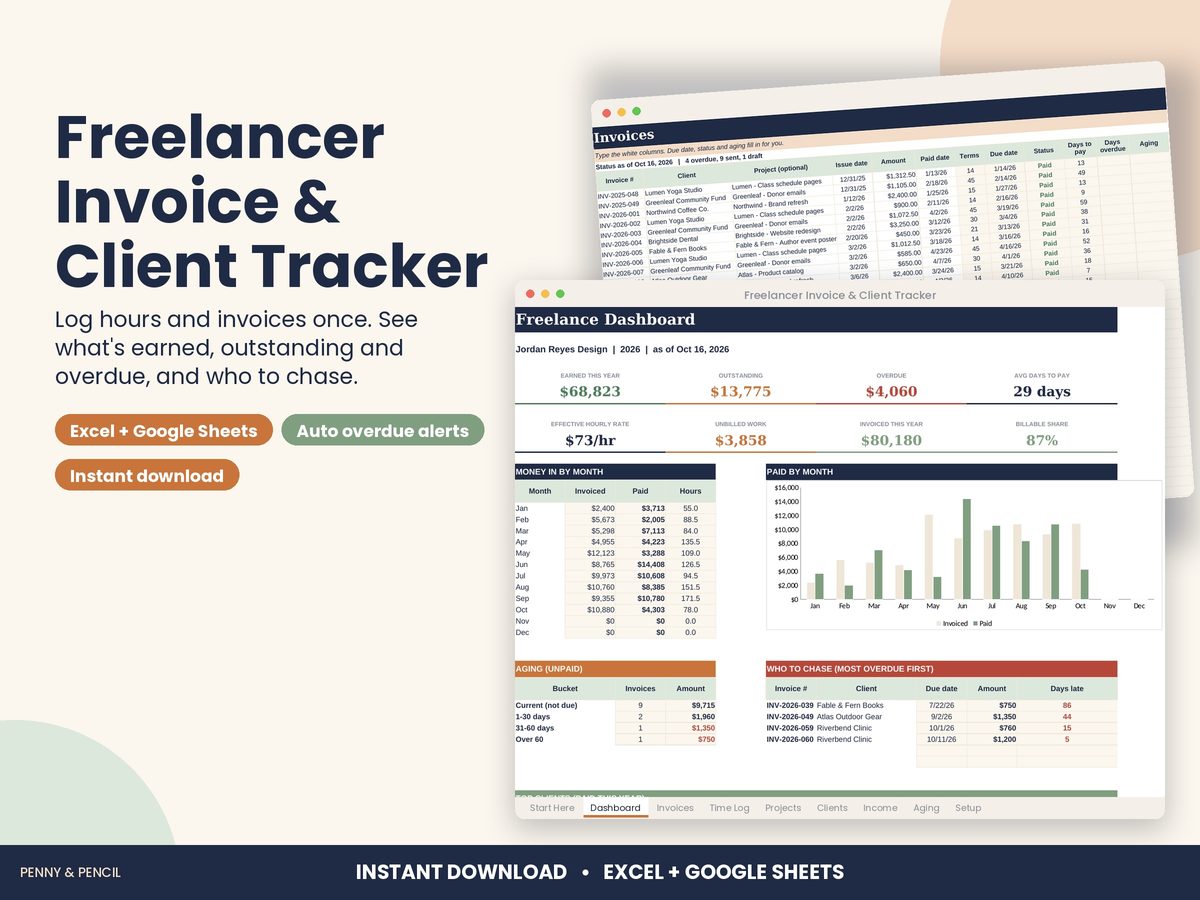
The Freelancer Invoice & Client Tracker works in Excel and Google Sheets, with a 300-row invoice tracker, client terms, calculated due dates and Draft, Sent, Overdue or Paid statuses. It is a tracker, not invoicing software: it does not create or send invoice documents. Enter your own records and check them against receipts.
The list-gated PDF is a one-page blank invoice-record checklist for the procedure above. It is not an invoice document, the paid tracker or a tax form.
See the invoice tracker’s full scope, browse money templates, visit learning pages or explore all printables.
Sources — read November 20, 2026
All dates, charges and payment events are fictional original examples. Not financial, tax or legal advice.