1. Save December before starting a new month
Keep a dated copy of your December workbook and the account records you are comparing. Write down the date range, accounts included and whether each total uses posted transactions. Retain the original entries so January edits do not overwrite the month you just checked.
Use the same transaction-date rule throughout this example: posted dates determine the month. List pending items separately until their posted amount and date are known. This guide is a manual recordkeeping procedure, not an automatic year-end feature of the paid planner.
2. Match the December log to your records
- Compare each dated entry with its receipt or account record: amount, description, category and account.
- Mark matched entries; investigate missing rows, duplicated imports or typing errors before changing totals.
- Keep transfers between your own accounts separate from income and spending. In a combined spending record, do not count a card purchase and its later card payment as two expenses.
- Keep unresolved items in a separate list with the amount, reason, evidence needed and next check date.
Single-account example only: checking starts December at 600 dollars, receives 3,000 in pay and has 2,500 in posted outflows, with no transfers or card activity. The closing calculation is 600 + 3,000 − 2,500 = 1,100. If the account record shows 1,070, the 30-dollar difference remains unresolved until you find its cause; do not enter a made-up balancing expense.
3. Compare the category plan with actual December spending
Fictional December category check — amounts in USD| Category | Planned | Actual |
|---|
| Housing | 1200 | 1200 |
|---|
| Utilities | 200 | 210 |
|---|
| Groceries | 400 | 430 |
|---|
| Transport | 150 | 140 |
|---|
| Holiday purchases | 250 | 310 |
|---|
| Other recorded spending | 200 | 210 |
|---|
| Total | 2400 | 2500 |
|---|
In this fictional record, actual spending exceeds the 2,400-dollar plan by 100 dollars. The differences are utilities +10, groceries +30, transport −10, holiday purchases +60 and other spending +10; housing matches. Together they explain the full difference.
December pay less spending is 3,000 − 2,500 = 500. That is the month’s net movement, while 1,100 is the closing account balance including the 600-dollar opening amount. Neither number alone tells you what is available after outstanding commitments.
4. Carry unresolved items into a dated January checklist
- A 60-dollar purchase is still pending on December 31: retain its reference and check its eventual posted date and amount. It is outside the posted December totals above.
- A 40-dollar return is awaiting a refund: keep the original purchase recorded and the expected refund separate. Do not count the expected receipt as money already received.
- An upcoming bill has not been paid: record its due date and amount in the January plan, then match the later payment once.
These three items are separate illustrations, not additional movements in the worked checking example. A list might read “January 3 — check pending purchase against posted record; January 8 — check refund status.” An unresolved item stays open if the evidence has not arrived.
5. Build January from your own known costs
Keep recurring categories, remove the December-only holiday line and enter known January costs from your own bills. Use December actuals as a comparison, not a rule that January must match them. Keep planned income separate from income received.
Fictional January plan — chosen amounts, not recommended targets| Category | Planned amount (USD) |
|---|
| Housing | 1200 |
|---|
| Utilities | 220 |
|---|
| Groceries | 430 |
|---|
| Transport | 140 |
|---|
| Other recorded spending | 210 |
|---|
| Known January bill | 180 |
|---|
| Total planned spending | 2380 |
|---|
For an illustrative January income plan of 3,000 dollars, 3,000 − 2,380 = 620 remains unassigned before other costs or choices. This is a draft arithmetic balance, not a promised saving or a suggested amount to spend. If an omitted cost is 700, planned outflow becomes 3,080 and the draft shows a shortfall of 80.
Record January’s opening account balance separately; do not relabel December’s closing balance as new January income. If you track category allocations across months, use a separate carry-forward record and distinguish that allocation from the account balance.
6. Check the handoff after the first January entries
- Confirm December’s saved totals still match the records used for the close.
- Match each opening account balance to its previous closing balance, noting any unresolved difference.
- Check the first January receipts and payments against their dates and categories.
- Revisit the pending-item list and replace estimates with verified amounts without duplicating entries.
- Review due dates as well as monthly totals; a balanced month does not show whether money arrives before a bill is due.
A sample page and an optional spreadsheet
The email-list download is the site’s existing one-page budget template sample. It is a separate printable for trying category records, not a New Year workbook or the full paid planner.
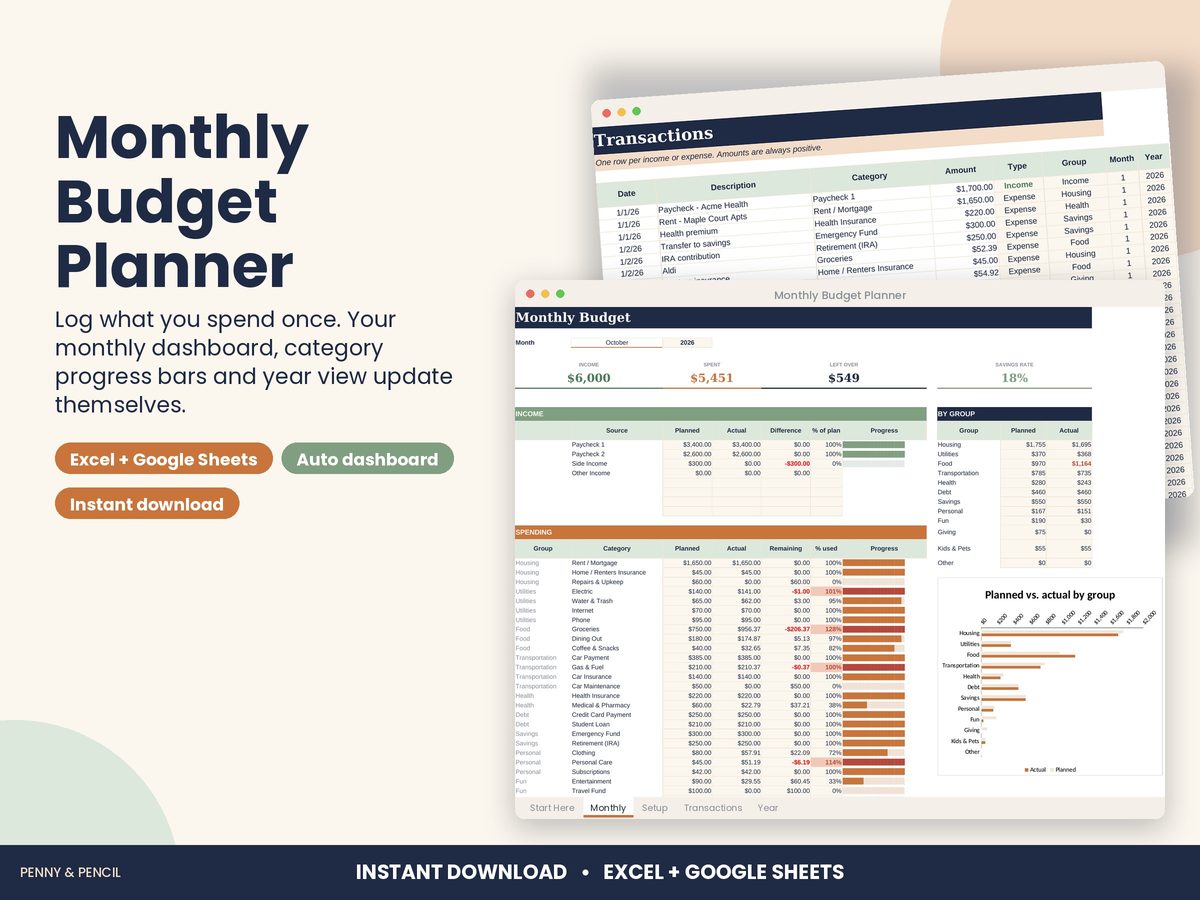
The Monthly Budget Planner works in Excel and Google Sheets and includes a monthly dashboard, a 600-row transaction log, up to 40 expense categories and 8 income sources, a year-at-a-glance view, a blank planner and a filled-in example. You enter your own records; this guide’s reconciliation and pending-item notes are manual companion steps, with no bank sync.
For an allocation example, see the rollover budget ledger. Browse money templates, visit learning pages or explore all printables.
Sources — read November 20, 2026
The procedure, dates and numbers are original fictional examples. Organizing records only; not financial, tax or legal advice.