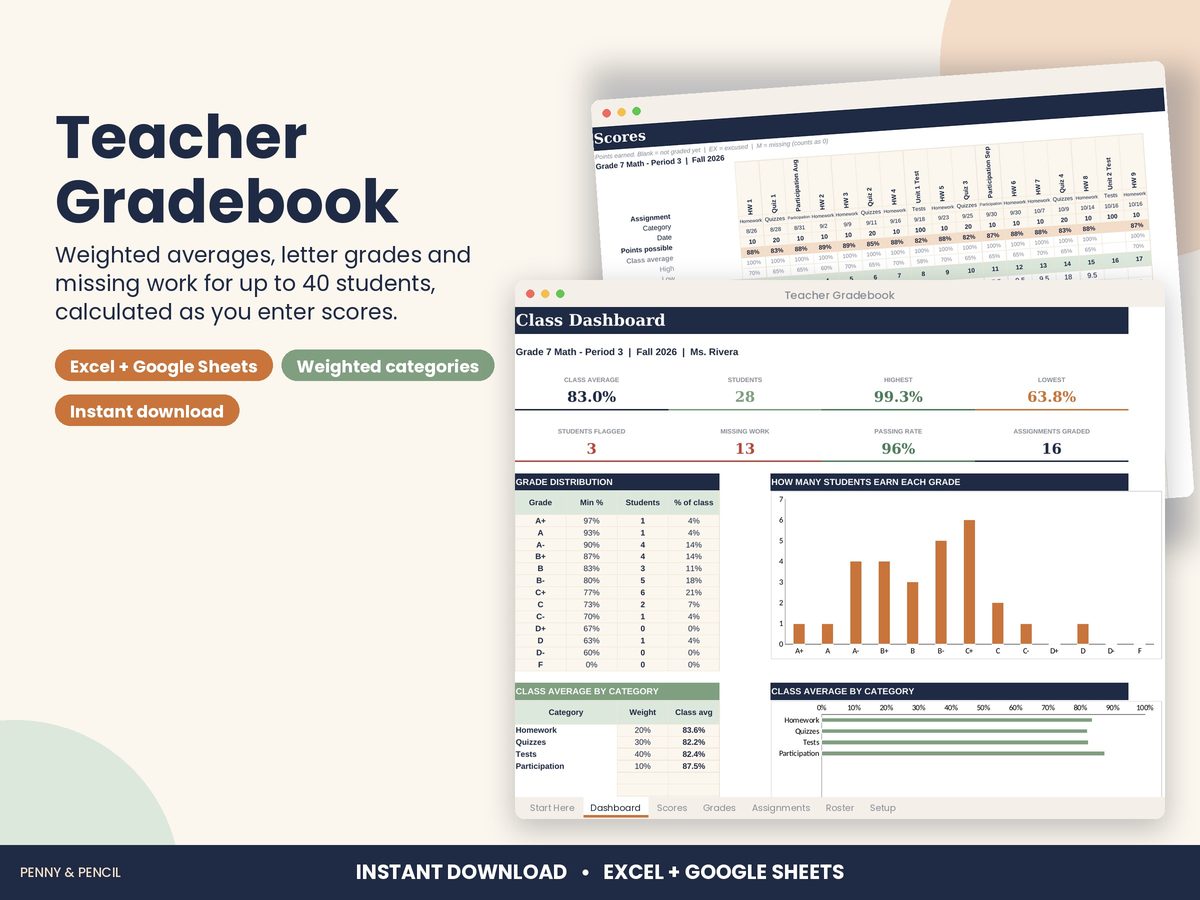
Weighted grade calculator spreadsheet
Weighted grades are fair but fiddly: tests might count 50%, homework 20% and projects 30%, and a category with no grades yet should not drag anyone down.
The Teacher Gradebook handles that for one class of up to 40 students and 60 assignments. Set your categories and weights (it warns you if they do not add up to 100%), add assignments, and type scores into one grid. Each student's weighted average and letter grade update as you go, categories with no graded work are left out, EX marks excused work and M marks missing work.
A class dashboard shows the class average, highest, lowest, passing rate, a grade distribution chart and the students to check in with first. The letter-grade scale is editable.
Buy Teacher Gradebook on Etsy · $10.00What you get
You get two files, a blank template and a filled-in example, plus a Start Here guide. Open them in Microsoft Excel, or upload them to Google Drive and open them with Google Sheets (free). You type in the input cells; the formulas, totals and charts update themselves.
Tips
- Set weights before entering the first score.
- Use M for missing work so it shows on the dashboard.
- Make one copy of the file per class or section.