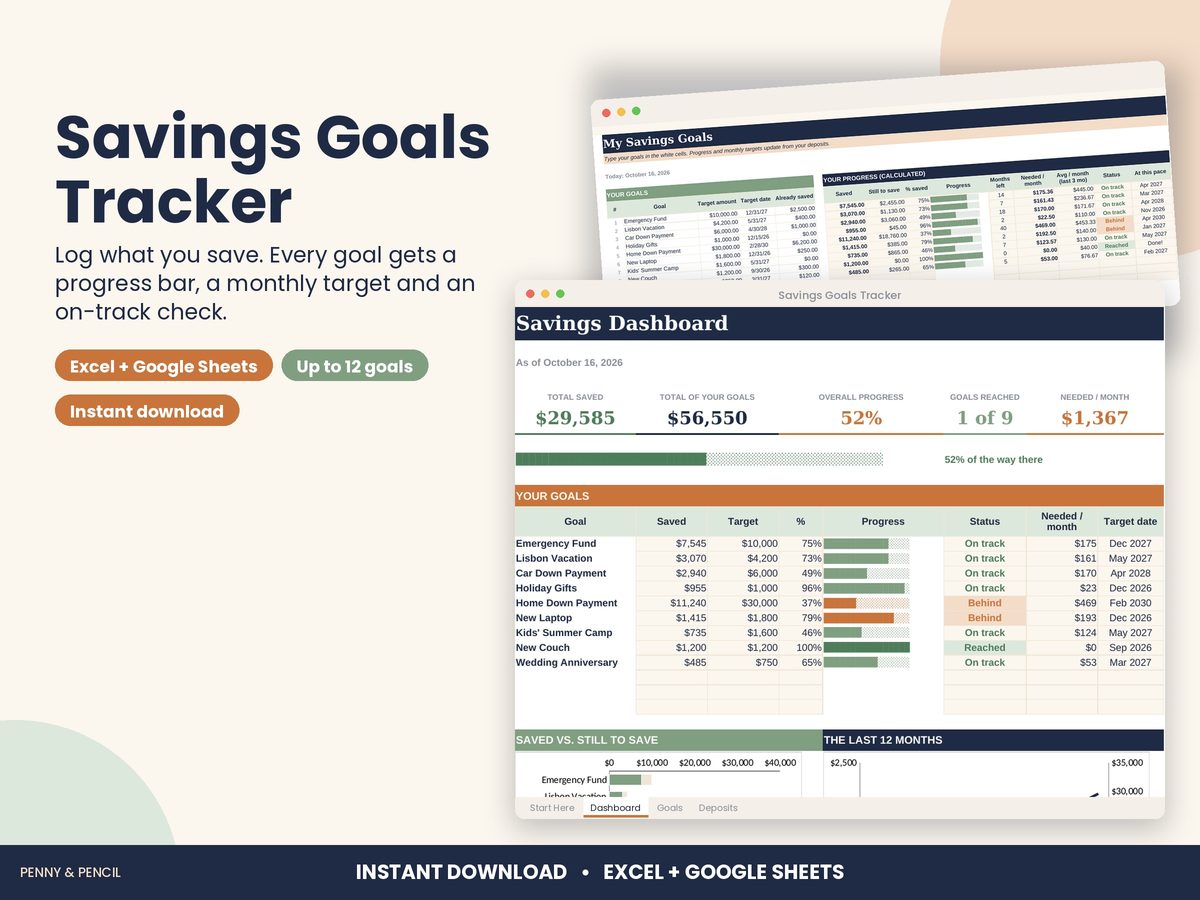
Emergency fund tracker spreadsheet
An emergency fund is easier to build when you can see it grow. Set a target, pick a date, and track each deposit until it is full.
The Savings Goals Tracker lets you list what you are saving for, such as an emergency fund, a vacation or a down payment, and log each deposit. It fills a progress bar for every goal, works out how much to save each month to reach the target date, and shows whether each goal is on track. A dashboard totals what you have saved and what you need each month.
For costs you know are coming, like car repairs, insurance or holidays, the Sinking Funds Tracker does the same for up to 15 funds with a 12-month contribution grid. Both are in the Personal Finance Bundle. They work in Excel and Google Sheets and are organizing tools, not financial advice.
Buy Savings Goals Tracker on Etsy · $9.00What you get
You get two files, a blank template and a filled-in example, plus a Start Here guide. Open them in Microsoft Excel, or upload them to Google Drive and open them with Google Sheets (free). You type in the input cells; the formulas, totals and charts update themselves.
Tips
- Set a first small target, such as one month of essential bills, then raise it.
- Log a deposit the same day you move the money.
- Keep planned costs in sinking funds so the emergency fund stays for emergencies.